Passport Photo Samples
Compare Your Photo With These Samples
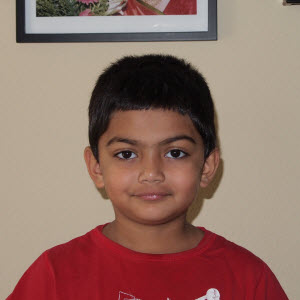
This photo will work
Yes, this will work. We will fix the exposure, background, and will do necessary color correction.
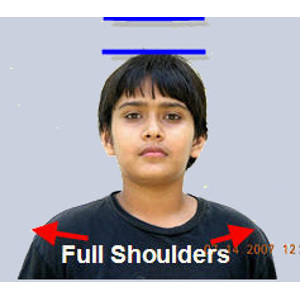
This photo will work
Yes, this will work. We will fix the exposure, background, and will do necessary color correction.
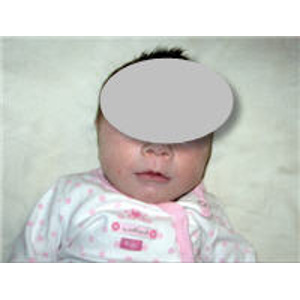
This photo will work
Yes, this photo will work. Head is not straight BUT WE CAN FIX IT and also the background.
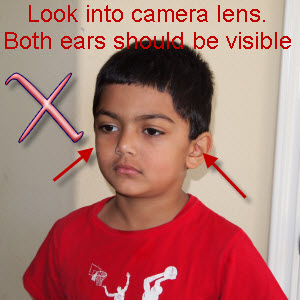
This photo will NOT work
No, this one will NOT work. We Can not fix it
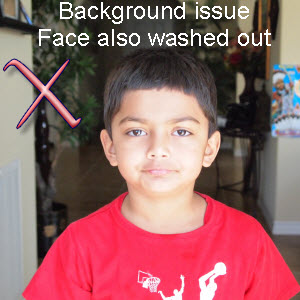
This photo will NOT work
No, this photo will NOT work. Difficult to Fix.
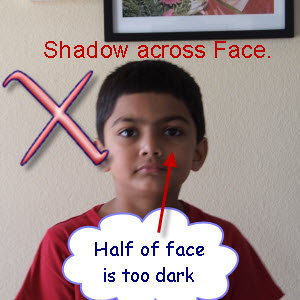
This photo will NOT work
Take a new photo when/where light falls from the front, not from one side.
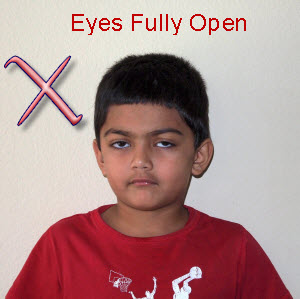
This photo will NOT work
No, hhis photo will NOT work. Eyes need to be fully open.
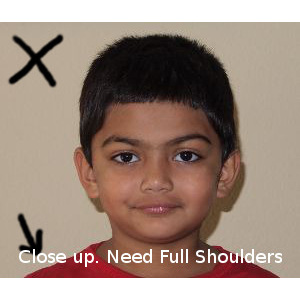
This photo will be Risky as head is too big
Don't take Closeup photos. Include full shoulders & 12 inches or more of the body below chin in photo
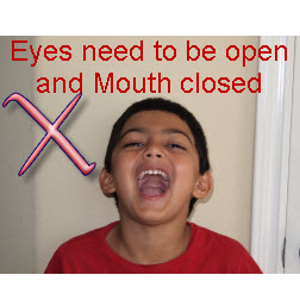
This photo will NOT work
No. This photo will NOT work. Please take a photo with Eyes open and Mouth Closed
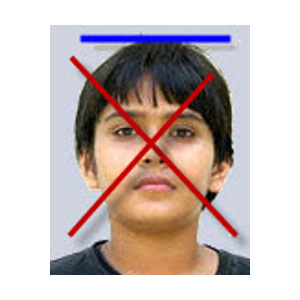
This photo will NOT work
NO. This photo will NOT work. USA passport photo needs full shoulders.
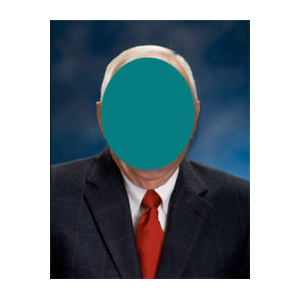
This photo will NOT work
NO. This photo will NOT work. Take a photo against white or light background
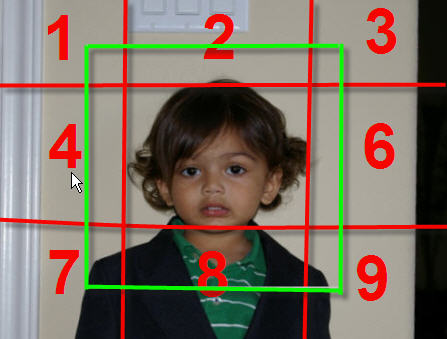
Passport Photo Template
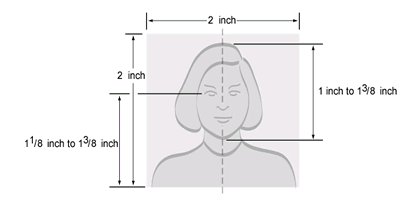
Take a photo like this one, with ample body below the chin, full shoulders and some margin on the top:
You can also email your pictures to
 (Please remember to attach your pictures to the email as a File attachment instead of as a Photo attachment so we get full resolution photos) and include your first name, last name, purpose of the photo (for US passport, Indian Passport photos, etc). Then we review your photos and email you link for payment if the photos are good, or will let you know the issue and how to take a new photo to avoid that problem.
 If OnlinePassportPhoto finds that my uploaded photo can not be converted into good passport photos, what happens to my payment?No Worries. If we find that the photo uploaded with your order can not be converted into valid passport or visa photos, we will e-mail you and ask you to e-mail us or upload again new digital photo(s). We will repeat this until we have a digital photo from you which can be converted into valid passport photos.
In worst case, if you are not able to provide us good digital photo(s), we will refund your payment.
Photo Tips : How to take a good photo
-
Take a photo in good daylight.
-
Stand against a white or plain light colored background. If needed, use a white bed sheet or a large white paper behind the head.
-
Wear dark clothes so there is a good contrast.
-
Keep the camera at least four feet (1.2 m) from the subject. Avoid taking a Selfie!
-
Take a landscape photo. Hold your smartphone horizontally.
-
Keep camera or phone lens at the eye level, and look straight into the lens.
-
Take photo in a good day light. Photos taken in artificial light or in dark or insufficient light usually have unnatural skin tones.
-
If there are manual settings on your camera, use the Av mode and set Aperture to 4 to 8. Set ISO to 400.
-
If photos are not coming out well, you can use the Flash. Stand 2 to 3 feet away from the background to minimize shadows created by the flash.
Additional Tips:
- Don't wear glasses for USA passport photos. Glasses are now NOT allowed unless a physician's certificate is provided.
- If you are wearing glasses (for photos for countries other than the US), make sure there are no reflections of light.
- Tie your hair if possible so the photos are more appropriate for passport photo look.
- You may not wear hats or head coverings, except for religious or medical purposes and with a signed statement.
(Click here for tips on how to take photos at home for converting them into Passport photos)
Requirements for USA Passport photos
Page updated: Jan 12, 2023
Top Links
Services
About Us
Follow Us

